X-Pilot
X-Pilot AI: Transform Documents into Professional Video Courses with Zero-Hallucination Technology
X-Pilot is an advanced AI-powered platform designed to turn PDFs, PPTs, and documents into accurate, high-quality video courses. Trusted by over 15,000 creators globally, it utilizes a zero-hallucination engine to ensure every formula and diagram remains precise. With features like Natural Language Editing and SCORM-compliant exporting, X-Pilot reduces training video production costs by 80% and accelerates turnaround times from weeks to days.
2026-04-18
--K
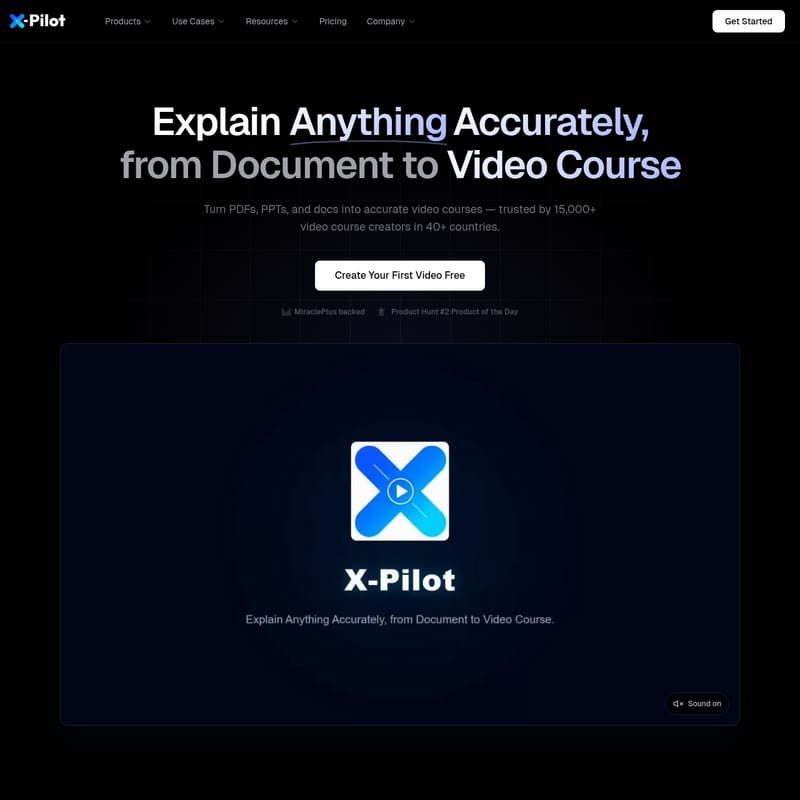
X-Pilot Product Information
X-Pilot: Turn Documents into Accurate Video Courses Automatically
In the modern digital landscape, the demand for high-quality educational content is higher than ever. However, traditional video production is often slow, expensive, and technically demanding. Enter X-Pilot, a revolutionary AI platform designed to bridge the gap between static documents and engaging video courses. Trusted by over 15,000 creators and major organizations like Google Cloud, Bosch, and the University of Notre Dame, X-Pilot allows you to transform PDFs, PPTs, and text files into professional narrated videos in minutes.
What's X-Pilot?
X-Pilot is an AI-driven course generation platform that specializes in turning documents into accurate, animated video courses. Unlike traditional AI video tools that may struggle with technical accuracy, X-Pilot is built for educators, trainers, and corporate teams who value precision. It is a MiraclePlus-backed solution that has earned the prestigious "Product Hunt #2 Product of the Day" award.
At its core, X-Pilot uses advanced AI to analyze document structures, extract key concepts, and visualize them using a library of over 10,000 motion graphics. By automating the production workflow, X-Pilot helps users reduce video production costs by up to 80% and cuts turnaround times from several weeks to just two days. Whether you are a business owner with 200 pages of training docs or a university professor looking to engage students, X-Pilot provides the tools to create 1080p and 4K content with ease.
Key Features of X-Pilot
1. Document-to-Video Transformation
X-Pilot allows you to upload PDFs, PPTs, or Markdown files and instantly converts them into a structured video course. It uses knowledge visualization and Bloom's Taxonomy learning principles to ensure that the content is not just visual, but educational, leading to 40% higher retention compared to static slides.
2. Zero-Hallucination Engine
Accuracy is paramount in professional training. X-Pilot ensures that every formula, code block, and data point from your source document is code-rendered rather than AI-imagined. This 100% content accuracy guarantee means that complex equations (like E = mc²) remain exactly as they appear in your source material.
3. Natural Language (NL) Editing
Forget complex timelines and expensive editing software. With X-Pilot, you edit by talking. You can use simple text commands to modify your video. Examples include:
- "Make the intro shorter."
- "Add a summary slide at the end."
- "Change the background music to something more upbeat." This feature makes the editing process 36x faster than traditional methods.
4. Global Reach and Translation
X-Pilot supports translation into over 160+ languages. It preserves knowledge visualization and voiceover sync while adapting the content for global teams, making it the perfect tool for international corporate training.
5. Multi-Format Exporting
Users can export their creations in high-definition formats or as SCORM packages for seamless deployment into Learning Management Systems (LMS) like Udemy, Coursera, or internal corporate platforms.
Use Cases for X-Pilot
X-Pilot is a versatile tool that serves various industries and professional roles:
- Corporate Training: Companies like Bosch and BYD use X-Pilot to create high-quality training modules for global teams at a fraction of the traditional cost.
- Course Instructors: Individual creators can turn their subject matter expertise into polished video courses without spending entire weekends on manual editing.
- Academic Faculty: University professors can transform static PDFs into engaging animations to prevent student drop-off and improve learning outcomes.
- Instructional Designers: Professionals can use X-Pilot to rapidly prototype and deploy educational content across different platforms.
- Technical Teams: Since X-Pilot handles code blocks and formulas with zero hallucinations, it is ideal for technical documentation and software training.
How to Use X-Pilot
Creating a professional video course with X-Pilot follows a simple five-step process that requires zero prior editing skills:
- Upload Documents: Start by uploading your PDFs, PPTs, or Markdown files. The X-Pilot AI will analyze the structure and extract key concepts.
- Real-time Preview: See your video take shape immediately. The platform uses Visual Motion Boxes to show animations, chapter structures, and voiceovers as they are processed.
- Natural Language Editing: Refine your video by typing commands. You can adjust the length of scenes or swap charts simply by describing the change.
- Export: Once satisfied, export your video in 1080p or 4K resolution. You can also translate the content into multiple languages at this stage.
- Publish: Share your finished course directly to YouTube, Coursera, or Udemy, or download the SCORM file for your LMS.
FAQ
Q: Does X-Pilot require a credit card to start? A: No, you can get started for free without a credit card. The trial typically includes 3 minutes of video generation.
Q: How does X-Pilot ensure technical accuracy? A: Unlike generative AI that might hallucinate facts, X-Pilot uses a code-rendering engine to ensure every diagram and formula from your source document is replicated exactly.
Q: Can I use X-Pilot for my Learning Management System (LMS)? A: Yes, X-Pilot supports SCORM exporting, making it fully compatible with standard LMS platforms for corporate and academic use.
Q: What languages does X-Pilot support? A: The platform can translate your video courses into over 160 different languages while maintaining voiceover sync and visual styling.
Q: How much faster is editing with X-Pilot? A: Thanks to the Natural Language Editing feature, users find it to be roughly 36x faster than traditional timeline-based video editing tools.