Harbor
Harbor is a private, cross-platform note-taking app offering optical character recognition, offline-capable native clients, granular zero-knowledge encryption, and developer endpoints to connect external AI models.
What the product does and how it is positioned
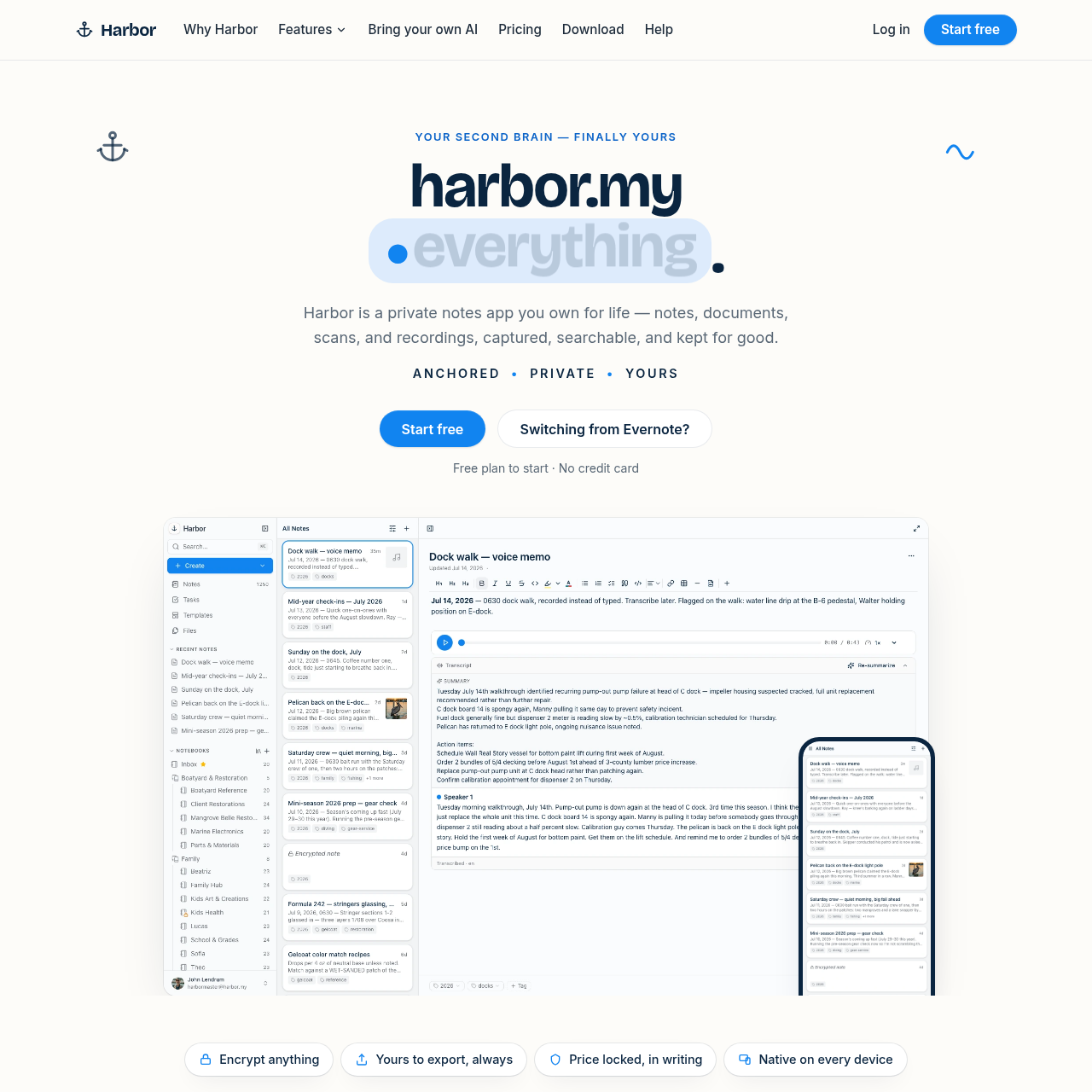
Harbor is a personal knowledge management and note-taking platform designed to capture notes, scanned documents, audio recordings, handwriting, and web clips in one central repository. It provides native clients across desktop and mobile platforms that function offline and sync changes when connectivity is restored.
The service avoids hosting built-in AI models, instead providing API, CLI, and Model Context Protocol interfaces so users can connect their own external tools and models. Security features include optional zero-knowledge encryption for designated notes alongside full data export and Evernote import capabilities.
Source-supported ways to use the product
Users capture physical receipts, invoices, and documents through scans or photos, relying on built-in optical character recognition to search and retrieve text stored within images and PDF files.
Researchers and writers use browser extensions across major web browsers to clip full web pages, simplified articles, or annotated screenshots directly into targeted notebooks.
Developers and knowledge workers integrate their personal ChatGPT, Claude, or Cursor accounts via API, CLI, or MCP to search, create, and organize notes without sharing unencrypted private notebooks.
Harbor diverges from conventional note-taking applications by deliberately omitting a built-in proprietary artificial intelligence system. Instead, the platform provides open integration touchpoints, enabling users to bridge external AI models and workflows into their personal note repository.
Through standard API endpoints, a command-line interface, and the Model Context Protocol, users can authenticate using their own developer keys to index, search, add, and restructure notebooks using external systems such as ChatGPT, Claude, or Cursor.
This architecture maintains user authority over AI access permissions. Because encrypted notes remain inaccessible without the user's private key, users control which materials remain isolated and which are exposed to external automated tools.
Checks to run with your own material and workflow
What was checked and when
Answers based on the source-checked product record
Harbor does not include a proprietary native AI assistant. Instead, it provides an API, CLI, and Model Context Protocol support so users can connect third-party AI models like ChatGPT or Claude using their own API keys.
Yes, Harbor includes optical character recognition that reads and indexes printed words in scanned PDFs and photos, text in handwriting, and automatically generates searchable transcripts from audio recordings.
Users can selectively enable zero-knowledge encryption on specific individual notes or entire notebooks. When enabled, only the user holds the decryption key, though encrypted notes cannot be indexed for global search or processed by external AI tools.
Harbor provides native applications for Mac, Windows, iPhone, iPad, and Android, as well as a web app. Its Web Clipper extension supports Chrome, Edge, Firefox, and Safari.
Harbor allows users to export all of their data at any time through standard file exports or via its API, CLI, and MCP developer interfaces, supporting notes and attachments can be transferred elsewhere.