Minicart favicon

Minicart

Minicart provides an AI-assisted e-commerce platform that turns product photos into functional online storefronts, featuring chat-based store management, automated catalog imports, and human-in-the-loop task drafting.

EcommerceAutomatically building product…Importing existing catalogs,…Executing catalog adjustments and bulk…Presenting interactive confirmation…
Minicart product interface screenshot
Listed on AIToolly

What Is Minicart? Product Overview

What the product does and how it is positioned

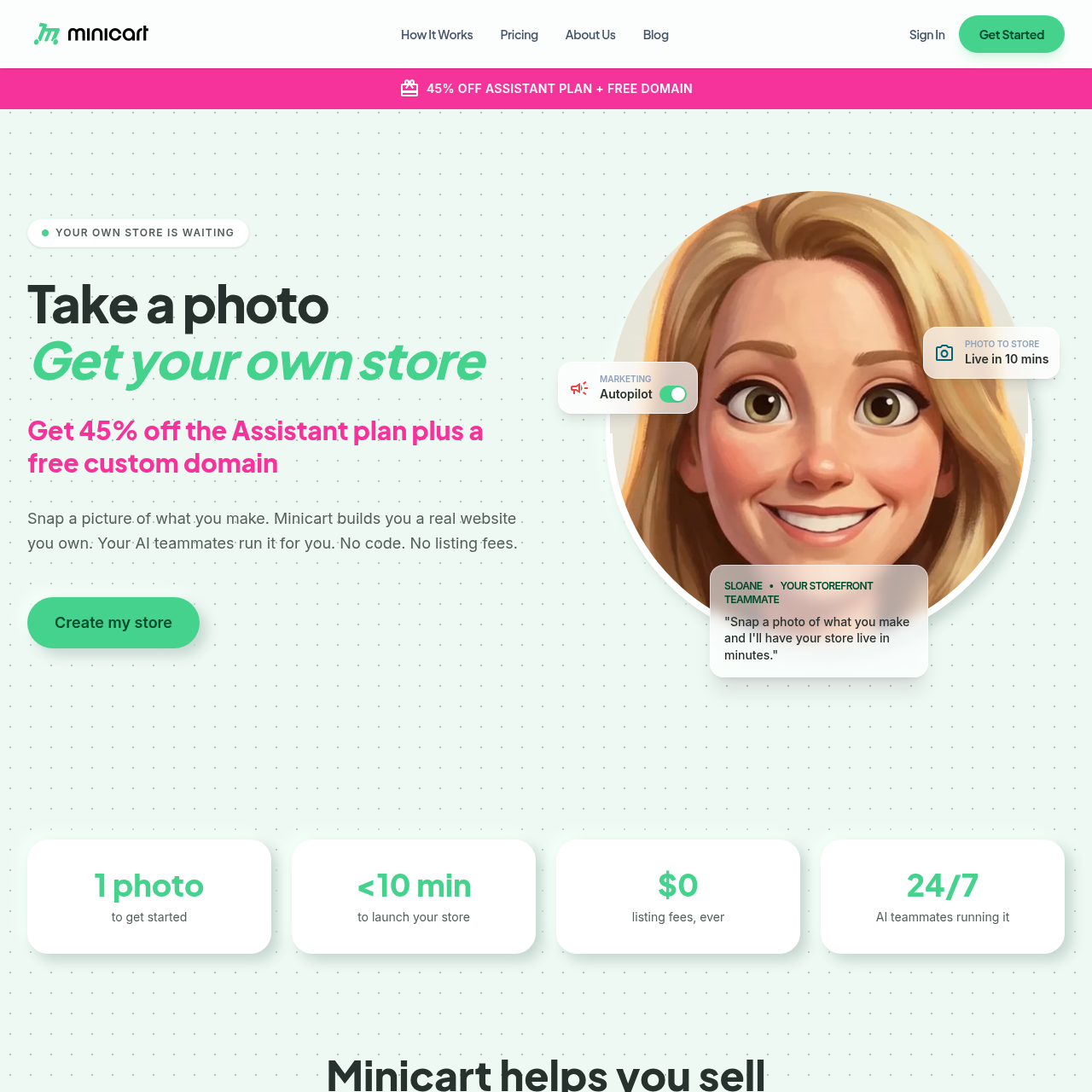
Minicart is an e-commerce website creation and store administration platform designed for independent makers and sellers. The service allows users to generate an online storefront by taking a photo of a physical product and answering introductory questions. It produces product listings with titles, descriptions, and product imagery without requiring manual web design or coding.

Ongoing store management is handled through a conversational chat interface powered by specialized AI assistants. These assistants handle administrative tasks such as drafting social media posts, generating discount codes, preparing shipping labels, and composing customer replies, while requiring seller confirmation before changes or communications go live.

What Can You Use Minicart For?

Source-supported ways to use the product

Handmade Maker Storefront Launch

Independent creators photograph finished goods to generate branded listings and an operational storefront without writing code or manually building web layouts.

Marketplace Catalog Migration

Merchants currently selling on Etsy, eBay, or Shopify can import existing listings, variations, and photography using their shop link while keeping existing marketplaces active.

How to Use Minicart

The documented workflow, where available

  1. 1

    Capture Product Photos

    Take a photo of the item being sold and answer several introductory questionnaire prompts about the product.

  2. 2

    Automated Store Creation

    The platform processes the submitted image to generate multiple product images, descriptive copy, and a full website.

  3. 3

    Review and Launch

    Examine the generated listings, adjust any store details through the conversational interface, and publish the storefront link.

Conversational Store Management and AI Teammates

Minicart structures its ongoing operational tooling around three virtual assistant personas designed for storefront management, marketing, and logistics. Instead of navigating multi-tiered administrative dashboards, merchants can issue instructions using natural language commands within a chat interface.

The system applies a human-in-the-loop model across storefront updates and outbound customer communications. When an owner initiates bulk price changes or inventory adjustments, the platform compiles the affected items into an interactive checklist, allowing the user to review, deselect items, and confirm changes before publication.

  • Sloane coordinates storefront generation, listing maintenance, sales tracking, and payment processing.
  • Milo drafts lifestyle imagery, social media post content, and promotional discount codes.
  • Logan preps shipping labels, monitors stock levels, and prepares replies to inbound customer questions.
  • Bulk modifications require explicit user confirmation before adjustments are published to the live storefront.

What to Test Before Choosing Minicart

Checks to run with your own material and workflow

  • Confirm how accurately the image-to-listing workflow generates titles, descriptions, and product images from uploaded item photos.
  • Verify whether the one-click import correctly transfers product variations, photography, and collections from existing Etsy, Shopify, or eBay links.
  • Review the conversational bulk editor to ensure that catalog price adjustments and inventory changes present accurate confirmation prompts before publication.

Minicart Sources and Last Checked

What was checked and when

Official source
https://minicart.com/
Last checked
Category
Ecommerce

Minicart Frequently Asked Questions

Answers based on the source-checked product record

How does Minicart generate a store from a photo?

Users submit a picture of their product and answer a few questions. The system processes the image to generate product photography, titles, descriptions, pricing suggestions, and a live website.

Can existing products be imported from other e-commerce platforms?

Yes. Merchants can import existing product catalogs, photos, variations, and collections by submitting their store links from Etsy, Shopify, or eBay.

Does importing an existing store disrupt active marketplace listings?

No. The catalog import uses a read-only connection, allowing external shops on Etsy, Shopify, or eBay to continue operating without interruption.

What role do the AI teammates play in day-to-day store administration?

The virtual assistants draft social media content, generate promotional codes, prepare shipping labels, track inventory counts, and draft customer response messages for owner approval.

Can store owners connect a custom domain to their Minicart storefront?

Yes. Stores can operate on a Minicart-provided subdomain or connect an independently owned custom domain to reflect their brand.

Explore other recently added tools in the same category.